YOUR MAC. ONE TAP AWAY.

Your Mac.
At your fingertips.

Control your Mac from iPhone or iPad. Launch apps, run shortcuts, and trigger workflows with a tap.
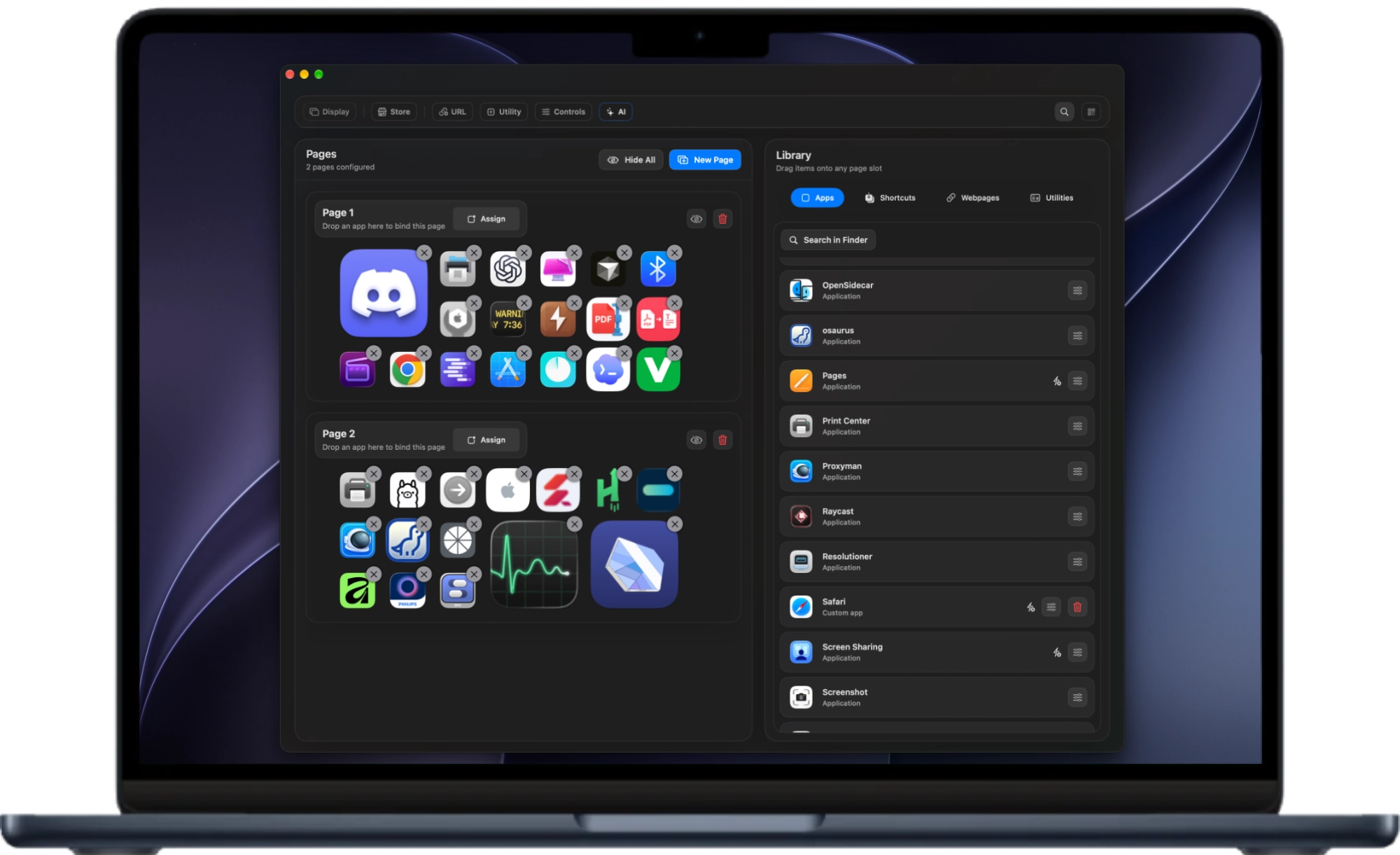
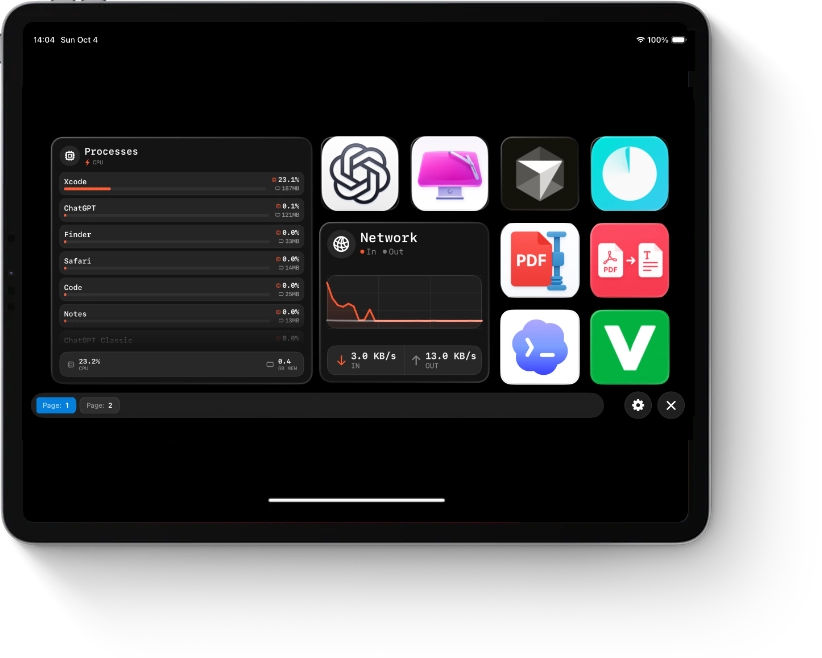
MacMobility on a MacBook, with apps and automation actions arranged in the editor The iPad companion app with app buttons and system widgets
Made for Mac.
Controlled by you.
↓Mac + iPhone + iPad

REMOTE CONTROL

A tap here.
Action on
your Mac.

Launch Mac apps with a single tap, run remote shortcuts, and trigger productivity workflows from a phone or tablet that is already part of your daily setup.

01 Everyday control

BUILT TO SUPPORT

Keep your tools.
Find your flow.

MacMobility works with your existing macOS applications and workflows. Control everything from media playback to complex automation tasks with less friction.

02 Familiar tools
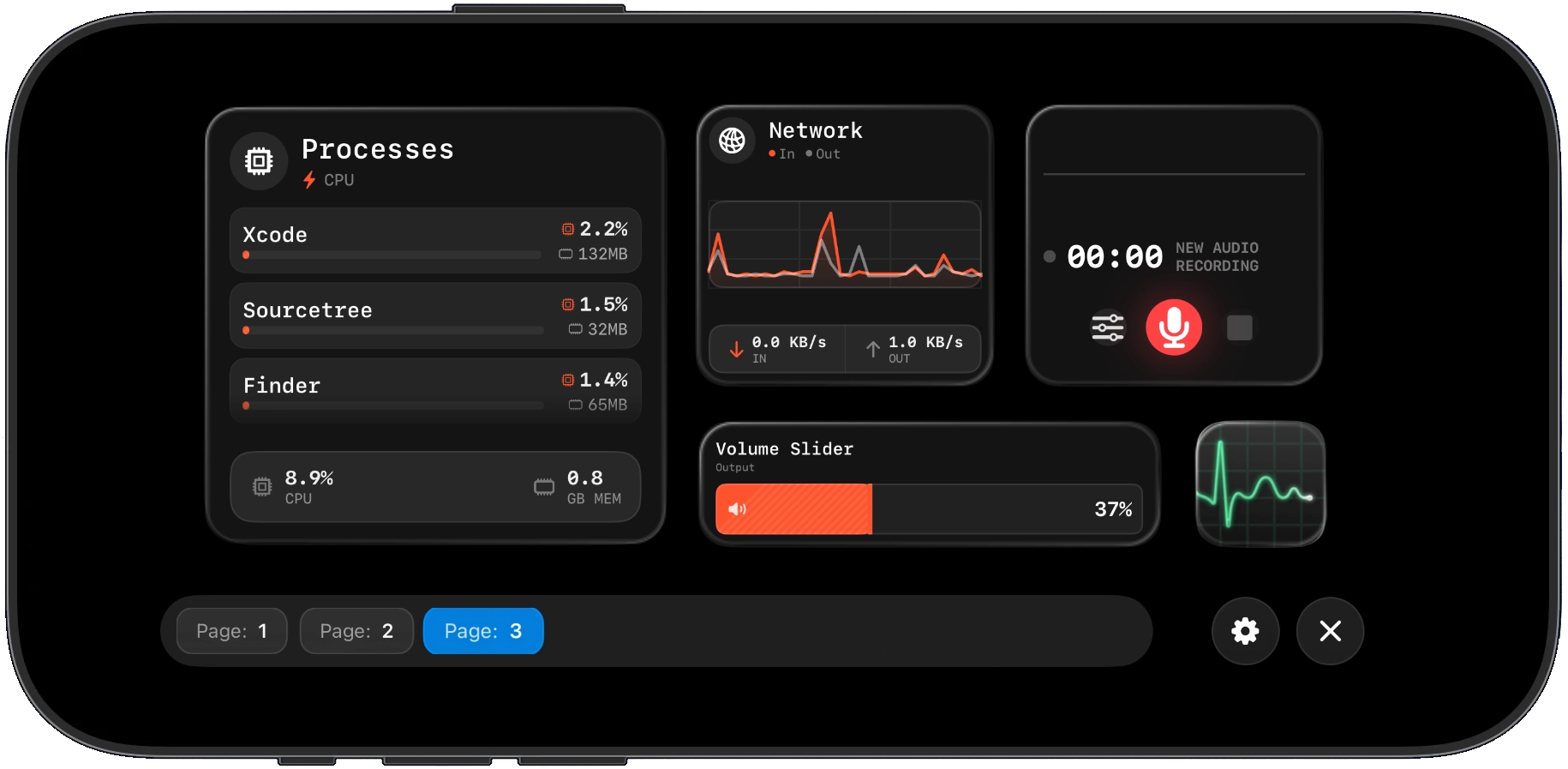
WIDGETS AT YOUR FINGERTIPS

Small widgets.
More control.

Bring useful widgets into your everyday flow. Keep media controls, system information, and your favorite actions together on a screen that works for you.

03 Your personal dashboard
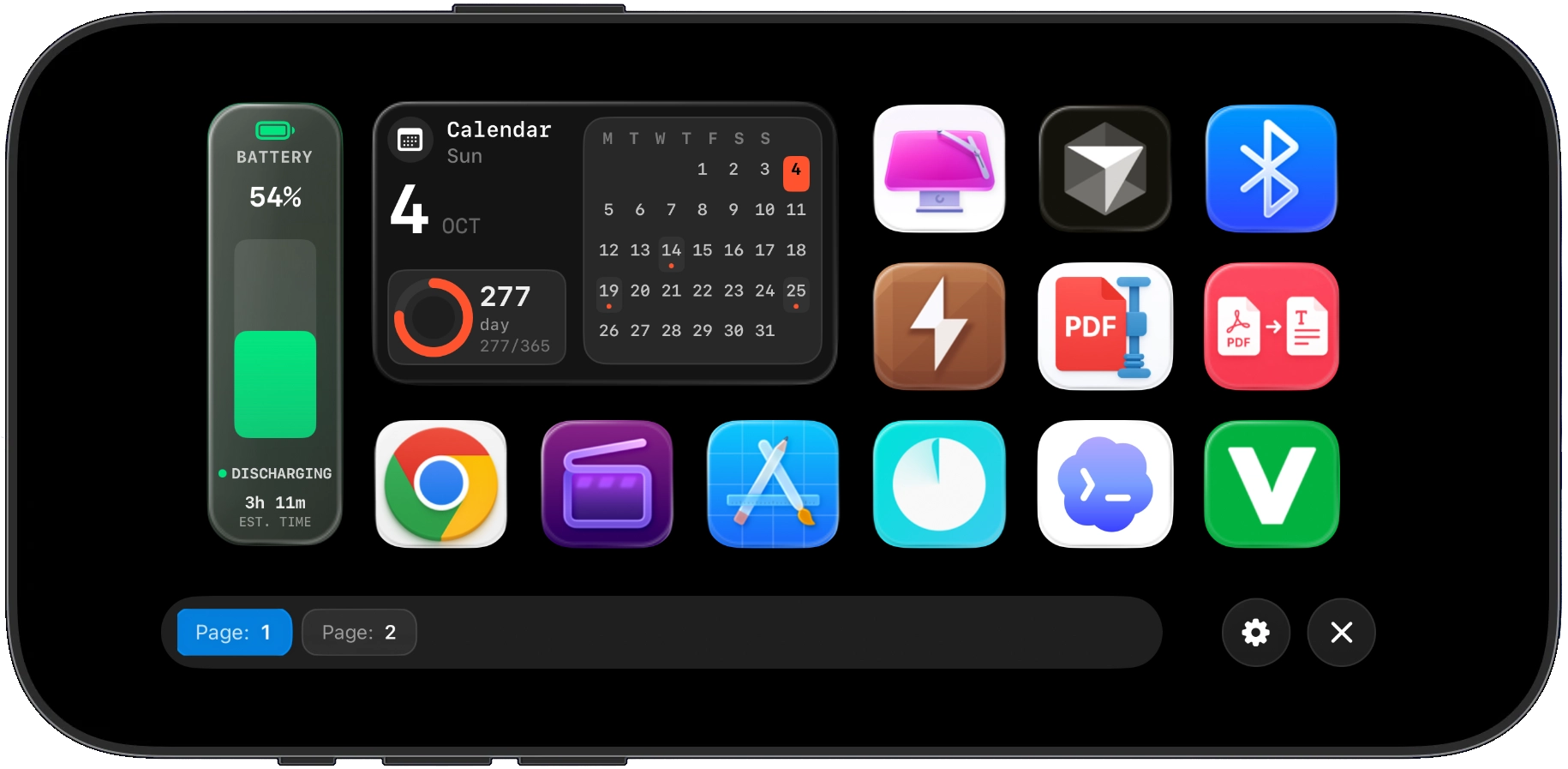
MacMobility iPad dashboard showing a custom collection of apps and widgets
Your everyday actions. All in one place.
A custom MacMobility iPhone dashboard with buttons arranged in different sizes
A little more control. Right where you need it.

YOUR LAYOUT. YOUR RULES.

A control hub.
With your personality.

Customize your workflows: move apps, shortcuts, and custom actions wherever you want, and make the list of actions your own.
A custom MacMobility page on iPhone with yellow emoji buttons in different sizes

A little more you. A lot less repetition.

SHORTCUTS & AUTOMATION

Less repetition.
More possibility.

MacMobility integrates with Apple Shortcuts, allowing you to create powerful automations and workflows. Trigger shortcuts directly from your iPhone or iPad.

01 A smarter shortcut

MAKE IT HAPPEN

Start with a shortcut.
Build from there.

Choose from a library of premade automations, or create your own custom actions using Apple Shortcuts, AppleScript, or bash scripts.

02 Your next workflow
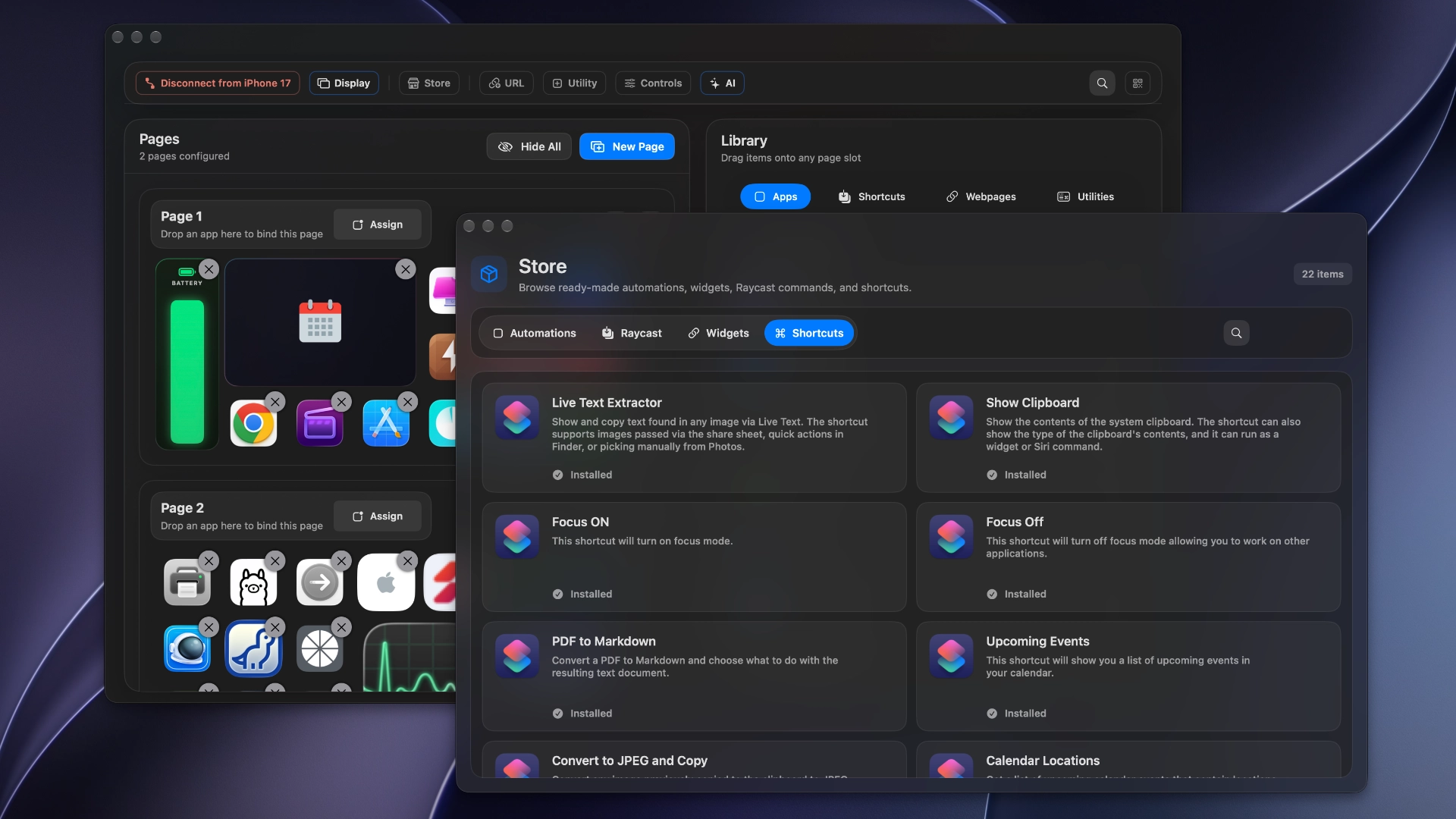
MacMobility editor and its Install Shortcuts library, including Live Text Extractor, Show Clipboard, and Focus actions
Ready-made actions. Room for your own ideas.

BUILT FOR WHAT YOU USE

Works with the
tools you love.

For streamers, developers, and productivity-focused professionals.
Add a practical remote to the tools you already use.
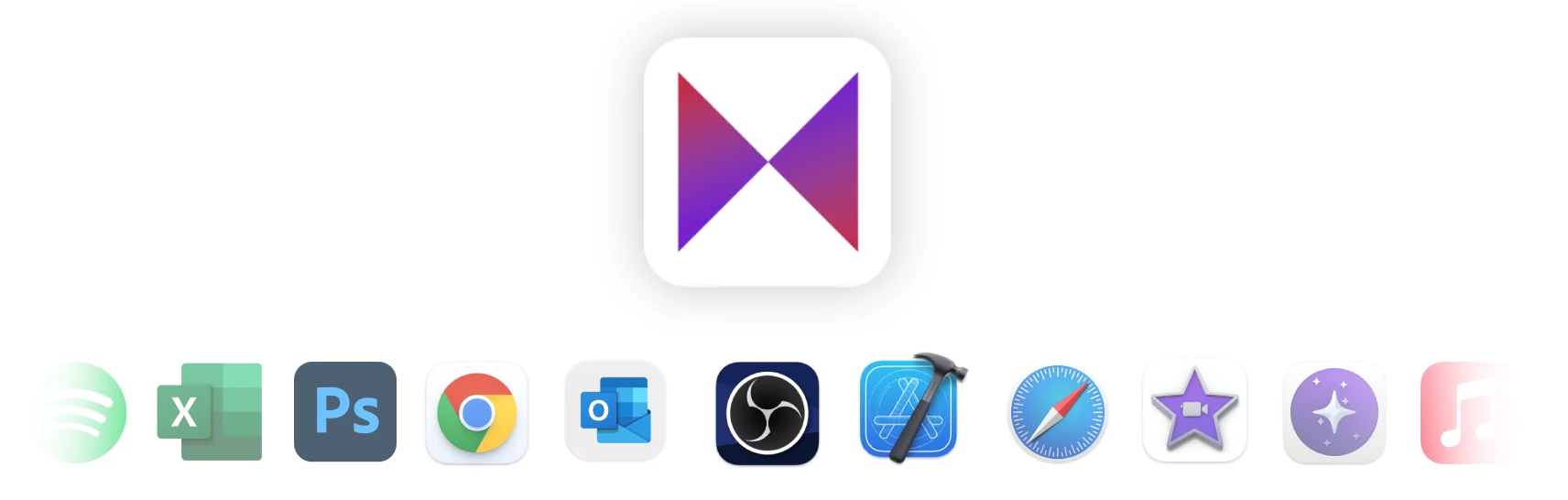
MacMobility alongside supported tools including Spotify, Excel, Photoshop, Chrome, Outlook, OBS, Xcode, Safari, and iMovie

EXTEND YOUR DESKTOP

Plug in.
Stretch out.

Your iPhone or iPad can become a second surface for your Mac, with the connection through usb-c cable.

RIGHT AT HOME

Fits right into
your setup.

Keep the power of your Mac. Add a personal control hub on the iPhone or iPad you already use.
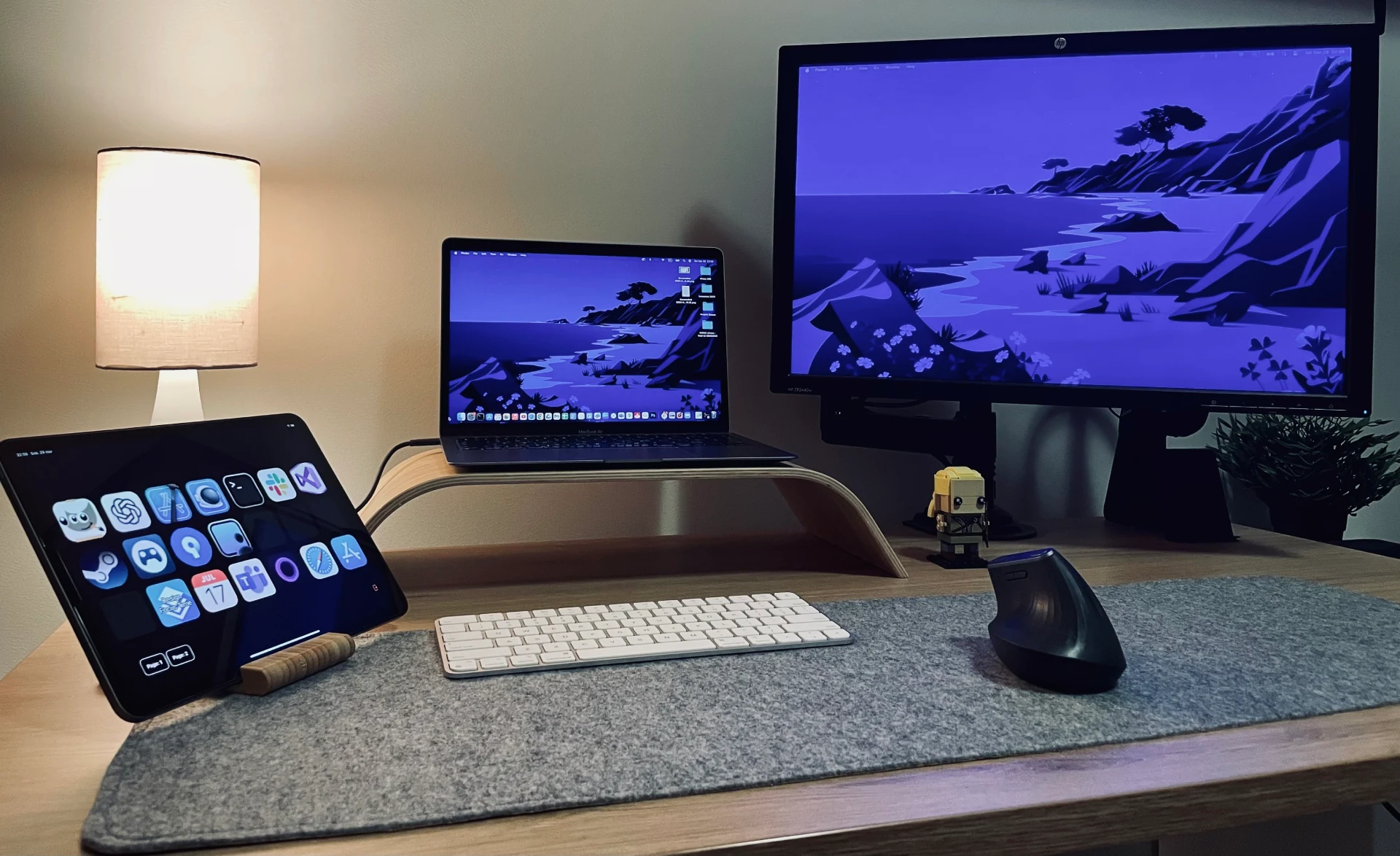
A real MacMobility setup: an iPad control panel beside a MacBook, monitor, and keyboard on a desk

LOVED BY MAC PEOPLE

Small taps.
Big workflow wins.

People use MacMobility to keep shortcuts, apps, scripts, and everyday controls close by.

"MacMobility turned my iPhone into the controller I actually keep with me. It is faster than hunting through menus during the workday."

ChadBeta tester

"I use it for shortcuts, dev scripts, and opening project folders. One tap on the phone and my Mac is ready for the next task."

Developer userAutomation workflow

"The custom layouts make it feel personal. I have one page for meetings, one for focus mode, and one for quick media controls."

Productivity userDaily Mac setup

"It gives old iPads a new job. Mine sits beside my keyboard and handles the repetitive stuff I used to do manually."

Mac power useriPad companion

"I like that it works with the apps I already use. Shortcuts, websites, folders, scripts - everything feels closer."

Creative userCustom controls

MAKE IT YOURS

Your workflow.
Your way in.

Start for free, or unlock MacMobility with a one-time purchase. One license for you. Two for home and work.

14-day refund policy

Add up to two codes. Save up to 100% on one license or 50% on two.

No coupons applied yet.

GET ACQUAINTED

Free download

Get started for free.

FreeA first step toward a better workflow.
  • Download and try the app at no cost
  • Explore the core features
  • Companion apps for iPhone and iPad
Download for Mac

Try the app before buying.

JUST FOR YOU

1 license

One license code.
One email address.

$7.99$14.99
USD · One-time purchase
  • Indefinite license. No subscription.
  • Unlimited devices for one license
  • All future updates included
  • Free iPhone and iPad companion apps
  • Support for your app integrations

Your solo setup, covered.

Already have MacMobility? Get the companion app

SHORTCUTS & AUTOMATION

Less busywork.
More of your best work.

Small everyday actions. Powerful custom workflows. Bring the tools you already use together, and put them a tap away on your iPhone or iPad.

01 / EVERYDAY SHORTCUTS

A head start.
In a single tap.

Start with ready-made Apple Shortcuts. Switch Focus on or off, extract text from an image, check your clipboard, or turn a PDF into Markdown. Run them on your Mac, straight from your iPhone or iPad.

Install Shortcuts library showing Live Text Extractor, Show Clipboard, Focus, and PDF to Markdown
A few less steps between you and done.

02 / YOUR FAVORITE APPS

Familiar tools.
Fresh possibilities.

Explore the library of premade automations for your Mac apps. From media playback to app launches and repetitive tasks, keep the actions you use most in your own control hub.

MacMobility automation library with packages for Xcode, iMovie, and macOS
Ready-made automations. Ready for your workflow.

03 / FILE CONVERSION

Select. Tap.
Convert.

Select images or videos in Finder and trigger a conversion. MacMobility detects the file type, with custom conversion buttons for the formats you use most.

MacMobility file conversion controls alongside files in Finder

04 / WEBSITE GROUPS

Your daily tabs.
One button.

Save the websites you have open and turn them into custom buttons. Create a multi-action button to launch your favorite sites together when it’s time to get to work.

MacMobility website buttons and browser workflow

05 / MAKE IT YOUR OWN

Your idea.
Your automation.

Build a button around the way you work. Control apps that support AppleScript, run bash scripts, or connect your own Apple Shortcuts. From an Excel task to a custom workflow, give repetition a shortcut.

Custom automation editor with an AppleScript that creates an Excel workbook and calculates sums
A custom action. A familiar button. A faster way forward.

06 / ALWAYS IN CONTEXT

Change apps.
Your controls follow.

Assign a control page to a Mac app. When you focus that app, MacMobility switches to the matching page automatically, keeping the right actions close at hand.

MacMobility settings for assigning automation pages to specific Mac applications

FIND YOUR FLOW

Start small.
Make it yours.

Pick a shortcut you use every day. Put it on your phone. Build from there.

Get MacMobility

MAKE IT HAPPEN

Your next workflow.
Starts with a tap.

Start with something you do every day. Choose a ready-made action, make it your own, and build a control page that feels like second nature.

01 / PICK YOUR FIRST SHORTCUT

A small start.
A daily difference.

Open the Shortcuts library in MacMobility and choose an action you already need. Turn on Focus when it’s time to concentrate, extract text from an image, or check your clipboard. Add it to your page and trigger it from your iPhone or iPad.

MacMobility Shortcuts library with Focus, Live Text Extractor, and Show Clipboard actions
One familiar task. A simpler way to do it.

02 / BUILD ON WHAT YOU USE

Your apps.
Working your way.

Browse premade automations for the Mac apps in your routine. Start with an app launch, a media control, or a repetitive task. Keep the actions you reach for together, so your next step is always close by.

Install Automations library with packages for Xcode, iMovie, and macOS
A library to get you going. Your workflow to build on.

03 / ADD YOUR OWN IDEAS

Make the repeatable.
Remarkably simple.

Have a task that’s unique to your work? Create a custom action with AppleScript, a bash script, or your own Apple Shortcut. Give it a name and an icon, then put it on your control page. Apps that support AppleScript can become part of your workflow, too.

Custom automation editor defining an Excel action with AppleScript, a title, and an icon
From a script you use to a button you’ll reach for.

04 / KEEP THE RIGHT ACTIONS CLOSE

A page for work.
A page for what’s next.

Arrange apps, shortcuts, and custom actions into pages that suit your day. Assign a page to a specific Mac app and MacMobility switches to it when that app is in focus. Your controls follow the work you’re doing.

MacMobility preferences for matching control pages to Mac applications
Less searching. More staying in the flow.

05 / FIND YOUR OWN RHYTHM

Phone nearby.
Keyboard at hand.

Use your iPhone or iPad as a personal control hub, or reach for your actions on the Mac. Press Control + Option + Space to open the Quick Action Menu. With native Raycast support, you can also launch apps and execute scripts from the tools already in your routine.

MacMobility integration with Raycast for accessing Mac actions

YOUR FIRST STEP

Make one task easier.
Then make it a habit.

Download MacMobility and start with one action you’ll use today.

Get MacMobility